













Use the Arrow Keys to move Gumball left, right, and jump during fights.
Press C to perform kicks and X to punch opponents.
Defeat all rival characters by depleting their health bars to progress.
Face Anais in the final boss battle and win the remote control.
On mobile devices, use on-screen controls to move, jump, kick, and punch.
What is Gumball: Remote Fu?
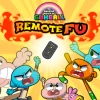
Gumball: Remote Fu is a fun, free online cartoon game where you play as Gumball and battle to win the TV remote. Featuring characters from the popular show, including Anais, this cool browser game offers exciting fights and challenges in a school street setting. Unlock more characters by winning fights and enjoy a dynamic cartoon experience that is unblocked and perfect for school breaks.
Gameplay & Features
- Play as Gumball and fight rivals using kung fu moves.
- Use Arrow Keys to move and jump.
- Press C to kick and X to punch.
- Defeat all opponents to reach Anais and win the boss battle.
- Unlock characters by winning fights and enjoy smooth browser gameplay.
- Enjoy a cartoon-themed, action-packed, and school-friendly game.
Related & Series Games
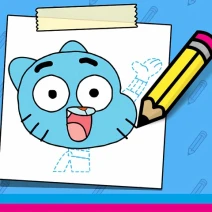
If you enjoy Gumball: Remote Fu, try other exciting Gumball games like Gumball: Dumb Race for fast-paced racing fun or Gumball: The Origin of Darwin to explore origins in a cool adventure. Learn to draw your favorite character with Gumball: How to Draw Darwin or experience spooky challenges in Gumball Class Spirits. These games offer the best online cartoon fun in your browser, all unblocked and ready to play now.
Tips & Strategies
- Master movement and timing with the arrow keys to dodge attacks.
- Use punches and kicks strategically to deplete opponent health bars quickly.
- Focus on defeating all rivals before facing Anais to unlock new characters.
- Stay alert to avoid getting hit and restarting the battle.
- Practice combos for faster victories and more fun gameplay.
FAQ
Is Gumball: Remote Fu free to play online?
Yes, Gumball: Remote Fu is completely free to play online in your browser with no downloads required.
Which TV channel airs the cartoon for Gumball: Remote Fu?
The cartoon series "The Amazing World of Gumball," which features characters like Gumball and Anais, airs on Cartoon Network.
Can I play Gumball: Remote Fu on school computers?
Yes, this game is unblocked and designed to be played on school computers and other devices supporting browser games.
What are the controls for playing Gumball: Remote Fu?
You use the Arrow Keys to move and jump, C to kick, and X to punch for keyboard play.

| Game Name | Gumball: Remote Fu |
|---|---|
| Rating | ⭐ 87.1% (186 Votes) |
| Released | |
| Last update | |
| Technology | HTML5 |
| Platform | Playable in your browser on desktop, mobile, and tablet devices |
| Game Mode | SinglePlayer |
| English | Gumball: Remote Fu |


