















Use the Left and Right arrow keys to move Ben 10’s alien form through the streets of each city.
Press the Up arrow key to jump over obstacles and enemies.
Attack enemies by pressing the Z key.
Use the special attack with the X key to deal extra damage.
Collect green vials to restore health when hit and blue vials to recharge your special attack energy.
On mobile devices, use tap controls on-screen buttons for movement, jumping, attacking, and special moves if supported.
Complete all levels in Mission 1 to unlock Mission 2 with new cities and aliens.
What is Ben 10: World Rescue?
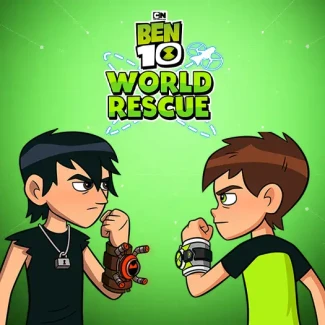
Ben 10: World Rescue is a cool, fun cartoon browser game where you help Ben 10 save various cities around the world using different alien heroes. Travel through iconic cities like Paris, Tokyo, and London, defeating enemies and bosses in this exciting, unblocked online game perfect for school or home play.
Gameplay & Features
Choose your alien for each city: Four Arms in Paris, XLR8 in Rio de Janeiro, Stinkfly in Tokyo, Slapback in Yucatan, and Cannonbolt in London. Fight enemies appearing from portals using simple keyboard controls: move with Left and Right, jump with Up, attack with Z, and use special attacks with X. Collect green vials to restore health and blue vials to recharge special powers. Progress through levels to unlock Mission 2 featuring new aliens like Heatblast and Rath. The game enhances coordination, reflexes, and cognitive skills while providing hours of free online fun.
Related & Series Games
If you enjoy Ben 10: World Rescue, check out other exciting Ben 10 games like Scooby-Doo: Scooby Doo and The Race to Wrestlemania, Ben 10: Steam Camp, Ben 10: Alien Rivals, and Ben 10: Drone Destruction. These games offer more cool adventures with your favorite cartoon heroes and are also free to play online in your browser. Play now and enjoy the best unblocked games for school or home!
Tips & Strategies
- Choose the right alien for each city to maximize your strengths.
- Collect health and energy vials frequently to stay alive and power up special attacks.
- Master the controls for smooth movement and timely attacks.
- Focus on defeating enemies quickly to avoid being overwhelmed as difficulty increases.
- Unlock Mission 2 to experience new cities and aliens for extended fun.
FAQ
Which TV channel airs the cartoon for Ben 10: World Rescue?
The Ben 10 cartoon series, including storylines related to World Rescue, originally airs on Cartoon Network, a popular channel for animated shows.
Is Ben 10: World Rescue free to play online?
Yes, Ben 10: World Rescue is a free browser game that you can play online without any downloads or payments.
Can I play Ben 10: World Rescue on school computers?
Yes, this game is unblocked and designed to be accessible on most school and home computers via a browser.
What are the keyboard controls for Ben 10: World Rescue?
Use the Left and Right arrow keys to move, Up to jump, Z to attack, and X for special attacks.
| Game Name | Ben 10: World Rescue |
|---|---|
| Rating | ⭐ 90.88% (285 Votes) |
| Released | |
| Last update | |
| Technology | HTML5 |
| Platform | Playable in your browser on desktop, mobile, and tablet devices |
| Game Mode | SinglePlayer |
| English | Ben 10: World Rescue |


