
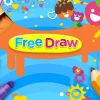




How to Play Nick jr: Free Draw
Enjoy creating colorful art effortlessly with simple controls and a friendly interface. Use your mouse or touch screen to draw, select colors, and add fun stickers to your masterpiece.
- Mouse: Click and drag to draw on the canvas
- Touch: Tap and drag your finger to sketch
- Color Selection: Click color palettes to change brush color
- Tool Selection: Click icons to switch between brush types and patterns
- Sticker Placement: Select stickers and tap to place them on your drawing
Play Nick jr: Free Draw: Creative Art Fun Online
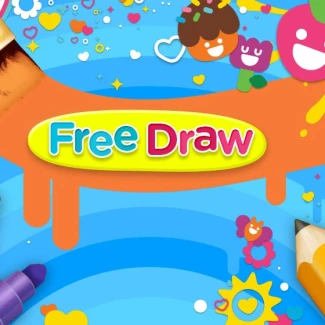
Dive into Nick jr: Free Draw and unleash your imagination by crafting vibrant masterpieces. Select from a variety of tools, colors, patterns, and fun stickers to bring your ideas to life on a blank canvas. This browser-based HTML5 game offers seamless play on desktop, mobile, and tablets without any downloads. Perfect for kids and casual players eager to explore their artistic skills with simple mouse or touch controls.
Nick jr: Free Draw Gameplay and Features
Nick jr: Free Draw centers around intuitive drawing mechanics where players can freely choose brushes, colors, and patterns to customize their artwork. The game encourages creativity with an array of stickers and unique effects to decorate your designs. Its easy-to-use interface supports mouse and touch inputs, allowing smooth control on any device. Players can experiment with different styles without the pressure of levels or missions, focusing entirely on artistic expression.
- Wide selection of drawing tools including brushes and patterns
- Color palette with vibrant, kid-friendly hues
- Fun stickers to personalize artwork
- Instant browser play with no downloads required
- Compatible with desktop, tablet, and mobile devices
- HTML5 support ensures smooth gameplay across platforms
Tips and Strategies for Nick jr: Free Draw
Maximize your creative output by exploring all available tools and experimenting with layering colors and patterns. Use stickers strategically to add character and fun details to your drawings. Take advantage of the simple controls and try different strokes or shapes to discover unique effects. Since the game is all about creativity, take your time and enjoy the process without rushing.
- Test various brush sizes for diverse strokes
- Combine colors to create custom shades
- Apply stickers to highlight key areas of your art
- Use touch controls on mobile for more precise drawing
FAQ
Is Nick jr: Free Draw free to play?
Yes, Nick jr: Free Draw is completely free to play directly in your browser without any cost.
Can I play Nick jr: Free Draw on mobile or tablet?
Absolutely, the game supports mobile and tablet devices with touch controls for easy drawing.
Do I need an account or login to play Nick jr: Free Draw?
No login or account is required; just open the game and start drawing instantly.
Is this the original version of Nick jr: Free Draw?
Yes, this is the authentic Nick jr: Free Draw experience optimized for browser play.
| Game Name | Nick jr: Free Draw |
|---|---|
| Rating | ⭐ Has not been voted yet. (0 Votes) |
| Released | |
| Technology | HTML5 |
| Platform | Playable in your browser on desktop, mobile, and tablet devices |
| Game Mode | SinglePlayer |
| English | Nick jr: Free Draw |


