














How to Play My Little Pony: Pony Maker
Use your mouse or touch controls to navigate the customization menus and create your pony. Select different body parts, colors, and accessories to build a unique character. There are no levels or missions—focus on designing and expressing your creativity. The game runs smoothly in your browser on desktop, tablet, or mobile devices.
Controls for My Little Pony: Pony Maker
- Mouse or touch: Select and customize pony features
- Click or tap: Choose colors, body parts, and accessories
- Drag: Adjust color sliders and reposition elements
Play My Little Pony: Pony Maker: Create Magical Ponies Online
Dive into a vibrant world where your imagination shapes every detail of your pony. Customize the body, eyes, mane, tail, and accessories using intuitive tools and a color wheel to craft a character that truly reflects your style. Join the Mane 6 and bring your personalized pony to life without any downloads, directly in your browser. Enjoy seamless play on desktop, tablet, or mobile with full HTML5 support.
My Little Pony: Pony Maker Gameplay and Features
My Little Pony: Pony Maker lets you design your own unique pony through a user-friendly interface that supports mouse and touch controls. Choose from a variety of body shapes, eye styles, and vibrant colors to express your creativity. Customize manes, tails, and accessories to build a pony that fits your vision perfectly. This game requires no downloads and runs smoothly on all browsers, making it accessible anytime on desktop and mobile devices.
- Extensive pony customization options including body types and facial features
- Color wheel tool for personalized coloring and shading
- Accessory selection to add flair and personality
- Browser-based instant play with HTML5 support
- Compatible with desktop, tablet, and mobile devices
Tips and Strategies for My Little Pony: Pony Maker
To make the most of My Little Pony: Pony Maker, start by experimenting with different color combinations to find the most harmonious look for your pony. Take your time selecting manes and tails that complement the overall design. Use the accessory options sparingly to avoid overcrowding your pony’s appearance. Remember, the goal is to create a balanced and visually appealing character that reflects your imagination.
- Use the color wheel to blend shades for unique looks
- Explore all customization tabs before finalizing your pony
- Adjust features gradually to maintain design balance
- Play on devices with touch or mouse controls for precision
FAQ
Is My Little Pony: Pony Maker free to play?
Yes, My Little Pony: Pony Maker is completely free to play online with no downloads required.
Can I play My Little Pony: Pony Maker on mobile or tablet?
Absolutely, the game is fully compatible with mobile phones and tablets through any modern browser.
Do I need an account to play My Little Pony: Pony Maker?
No account or login is necessary; you can start creating your pony instantly upon loading the game.
Is this the original version of My Little Pony: Pony Maker?
Yes, this is the original browser-based version that offers full HTML5 support and customization features.
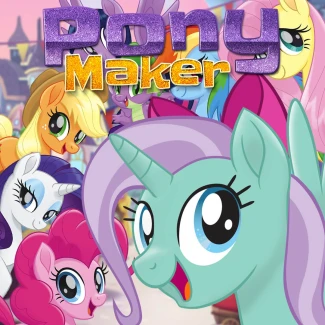
| Game Name | My Little Pony: Pony Maker |
|---|---|
| Rating | ⭐ 83.33% (6 Votes) |
| Released | |
| Technology | HTML5 |
| Platform | Playable in your browser on desktop, mobile, and tablet devices |
| Game Mode | SinglePlayer |
| English | My Little Pony: Pony Maker |


